 Sharing images that contain significant amounts of text is something quite a number of Twitter users already do. It also seems like a pretty convenient way to “hack the tweet stream” and avoid the 140-character limit.
Sharing excerpts from online articles is something I do quite often on Twitter. These excerpts often exceed Twitter’s 140-character limit, so copying and pasting these pieces of text directly into Twitter’s status message box does not always work out as planned. When faced with this 140-character dilemma, one option is to copy these pieces of text into storming.me and share the generated image. But being the “lazy” person that I am, I find that process a little tedious. Another option is to create a Marc Andreessen-style tweetstorm using an app like tweetstorm.io or WriteRack. Unfortunately, this option does not seem particularly suited to sharing a text excerpt especially seeing that one might want to make a short personal comment about the excerpt being shared. Besides, there is that dreadful copying and pasting that I’m trying very hard to avoid like a plague. Oh, how I eschew the arduous labor involved in copying and pasting.
I eventually decided to whip up a quick and simple solution for myself by hacking up something I called Cliptext. Cliptext is a chrome extension/web app/Android app that converts text selections into images that can be automatically shared on Twitter. It started out as an excuse to create a chrome extension. Getting some insight into Chrome extensions was nice, but crafting something I knew I was actually going to use quite often was even more delightful.
[youtube http://www.youtube.com/watch?v=qekyQzCk2PM&w=420&h=315]
I am nowhere near being some sort of Kryptonian super-programmer who knows how to do everything off the bat. I typically need a lot of consultation from multiple sources. My first step to conjuring up Cliptext was to read the chrome extension getting started guide in order to get a feel for how chrome extensions are structured. Subsequently, I needed to figure out how to add items to Chrome’s context menu on text selections. This blog post by Paul Kinlan helped set me straight in that regard.
My starting point on the PHP side of things was this Stack Overflow question where someone asked how to convert text to an image. Reading the answers to the StackOverflow question suggested that PHP’s GD/Image Processing library was the way, the truth and the life.
Not wanting to mess with PHP Curl, stream contexts and all that jazz, I decided to take advantage of some of the existing Twitter API wrappers/libraries. My first attempt was to use codebird-php, but using it felt like swimming in snake-infested muddy water and I got bitten a few times. I guess I just could not get it working as quickly as I had hoped. I decided to try TwitterOauth as an antidote to all that snake venom from using codebird-php. Pure heaven it was! You should try it sometime.
Cliptext did not require any complicated code gymnastics and is as simple as Chrome extensions and web apps get. The intentionally plain user interface is based on Skeleton. Putting these resources together, I eventually came up with a working version of Cliptext that met my requirements. Thanks to the various authors of the resources I used.
I have made the chrome extension available on the Chrome Web Store and the Google Play Store in the hope that it will be useful to someone. I have also provided the source code on my Github page. Maybe someone out there might be able to learn something from it, just as I have been able to learn from others.
Editor’s note: David Adamo Jr’s cliptext should not be confused with this clip text.
Sharing images that contain significant amounts of text is something quite a number of Twitter users already do. It also seems like a pretty convenient way to “hack the tweet stream” and avoid the 140-character limit.
Sharing excerpts from online articles is something I do quite often on Twitter. These excerpts often exceed Twitter’s 140-character limit, so copying and pasting these pieces of text directly into Twitter’s status message box does not always work out as planned. When faced with this 140-character dilemma, one option is to copy these pieces of text into storming.me and share the generated image. But being the “lazy” person that I am, I find that process a little tedious. Another option is to create a Marc Andreessen-style tweetstorm using an app like tweetstorm.io or WriteRack. Unfortunately, this option does not seem particularly suited to sharing a text excerpt especially seeing that one might want to make a short personal comment about the excerpt being shared. Besides, there is that dreadful copying and pasting that I’m trying very hard to avoid like a plague. Oh, how I eschew the arduous labor involved in copying and pasting.
I eventually decided to whip up a quick and simple solution for myself by hacking up something I called Cliptext. Cliptext is a chrome extension/web app/Android app that converts text selections into images that can be automatically shared on Twitter. It started out as an excuse to create a chrome extension. Getting some insight into Chrome extensions was nice, but crafting something I knew I was actually going to use quite often was even more delightful.
[youtube http://www.youtube.com/watch?v=qekyQzCk2PM&w=420&h=315]
I am nowhere near being some sort of Kryptonian super-programmer who knows how to do everything off the bat. I typically need a lot of consultation from multiple sources. My first step to conjuring up Cliptext was to read the chrome extension getting started guide in order to get a feel for how chrome extensions are structured. Subsequently, I needed to figure out how to add items to Chrome’s context menu on text selections. This blog post by Paul Kinlan helped set me straight in that regard.
My starting point on the PHP side of things was this Stack Overflow question where someone asked how to convert text to an image. Reading the answers to the StackOverflow question suggested that PHP’s GD/Image Processing library was the way, the truth and the life.
Not wanting to mess with PHP Curl, stream contexts and all that jazz, I decided to take advantage of some of the existing Twitter API wrappers/libraries. My first attempt was to use codebird-php, but using it felt like swimming in snake-infested muddy water and I got bitten a few times. I guess I just could not get it working as quickly as I had hoped. I decided to try TwitterOauth as an antidote to all that snake venom from using codebird-php. Pure heaven it was! You should try it sometime.
Cliptext did not require any complicated code gymnastics and is as simple as Chrome extensions and web apps get. The intentionally plain user interface is based on Skeleton. Putting these resources together, I eventually came up with a working version of Cliptext that met my requirements. Thanks to the various authors of the resources I used.
I have made the chrome extension available on the Chrome Web Store and the Google Play Store in the hope that it will be useful to someone. I have also provided the source code on my Github page. Maybe someone out there might be able to learn something from it, just as I have been able to learn from others.
Editor’s note: David Adamo Jr’s cliptext should not be confused with this clip text.

Quick Links


Categories

Newsletter

Events
-
Share
Sharing images that contain significant amounts of text is something quite a number of Twitter users already do. It also seems like a pretty convenient way to “hack the tweet stream” and avoid the 140-character limit.
Sharing excerpts from online articles is something I do quite often on Twitter. These excerpts often exceed Twitter’s 140-character limit, so copying and pasting these pieces of text directly into Twitter’s status message box does not always work out as planned. When faced with this 140-character dilemma, one option is to copy these pieces of text into storming.me and share the generated image. But being the “lazy” person that I am, I find that process a little tedious. Another option is to create a Marc Andreessen-style tweetstorm using an app like tweetstorm.io or WriteRack. Unfortunately, this option does not seem particularly suited to sharing a text excerpt especially seeing that one might want to make a short personal comment about the excerpt being shared. Besides, there is that dreadful copying and pasting that I’m trying very hard to avoid like a plague. Oh, how I eschew the arduous labor involved in copying and pasting.
I eventually decided to whip up a quick and simple solution for myself by hacking up something I called Cliptext. Cliptext is a chrome extension/web app/Android app that converts text selections into images that can be automatically shared on Twitter. It started out as an excuse to create a chrome extension. Getting some insight into Chrome extensions was nice, but crafting something I knew I was actually going to use quite often was even more delightful.
[youtube http://www.youtube.com/watch?v=qekyQzCk2PM&w=420&h=315]
I am nowhere near being some sort of Kryptonian super-programmer who knows how to do everything off the bat. I typically need a lot of consultation from multiple sources. My first step to conjuring up Cliptext was to read the chrome extension getting started guide in order to get a feel for how chrome extensions are structured. Subsequently, I needed to figure out how to add items to Chrome’s context menu on text selections. This blog post by Paul Kinlan helped set me straight in that regard.
My starting point on the PHP side of things was this Stack Overflow question where someone asked how to convert text to an image. Reading the answers to the StackOverflow question suggested that PHP’s GD/Image Processing library was the way, the truth and the life.
Not wanting to mess with PHP Curl, stream contexts and all that jazz, I decided to take advantage of some of the existing Twitter API wrappers/libraries. My first attempt was to use codebird-php, but using it felt like swimming in snake-infested muddy water and I got bitten a few times. I guess I just could not get it working as quickly as I had hoped. I decided to try TwitterOauth as an antidote to all that snake venom from using codebird-php. Pure heaven it was! You should try it sometime.
Cliptext did not require any complicated code gymnastics and is as simple as Chrome extensions and web apps get. The intentionally plain user interface is based on Skeleton. Putting these resources together, I eventually came up with a working version of Cliptext that met my requirements. Thanks to the various authors of the resources I used.
I have made the chrome extension available on the Chrome Web Store and the Google Play Store in the hope that it will be useful to someone. I have also provided the source code on my Github page. Maybe someone out there might be able to learn something from it, just as I have been able to learn from others.
Editor’s note: David Adamo Jr’s cliptext should not be confused with this clip text.

-
Read Next

Point-of-sale (POS) terminals continue to power merchant payments and digital transactions across Nigeria. Image source: Moniepoint
-
Read more
-

Larry Yon II’s first trip to Africa started a journey that has taken him from South African business projects to cybersecurity, AI and a mission to bring more African-Americans to the continent. Image source: CyberAlliance -

Point-of-sale (POS) terminals continue to power merchant payments and digital transactions across Nigeria. Image source: Moniepoint -

Alexander Xanders and the uFarmx team inspect a maize farm as part of efforts to improve access to inputs and support agricultural production. Image source: UfarmX -
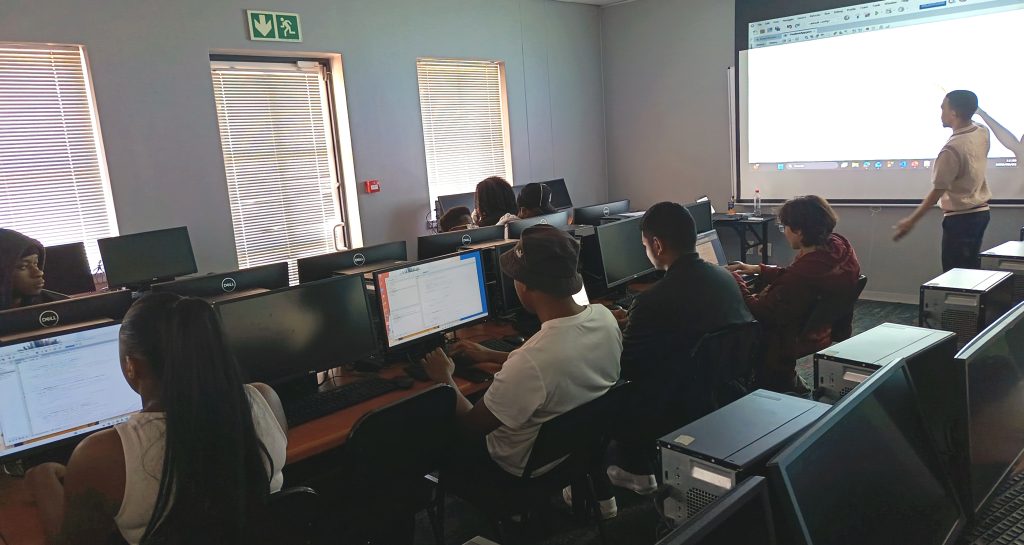
A tech degree is only the start. Richfield students build the skills they will need to turn classroom learning into workplace experience. Image source: Phathisani Moyo -

A Truecaller app: Image source: Village Innovation