

Google wants your morning to start with an AI assistant that has already read your inbox, scanned your calendar, and figured out what needs your attention each day. That’s the idea for Daily Brief, a new agent inside the Gemini app that Google introduced at I/O 2026 alongside a broader push to turn Gemini from a chatbot you prompt into an assistant that proactively works in the background.
This article explains what Daily Brief does, how to turn it on, and why you may not be able to use it yet.
What is Google’s Daily Brief?
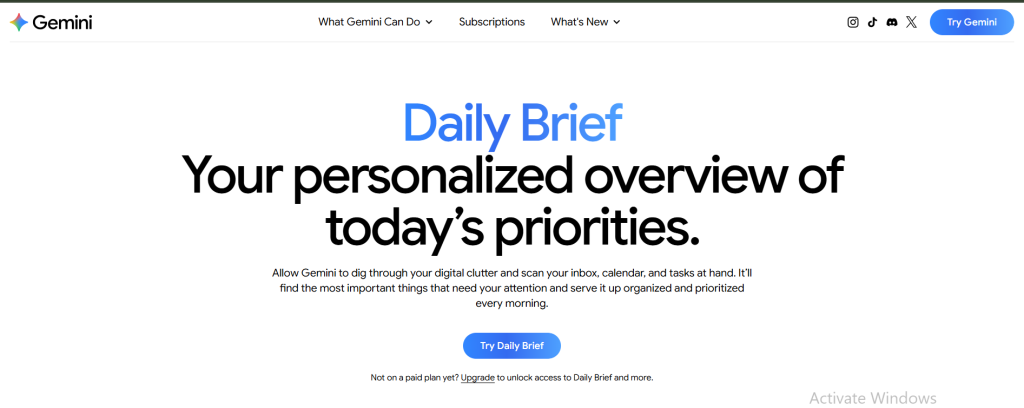
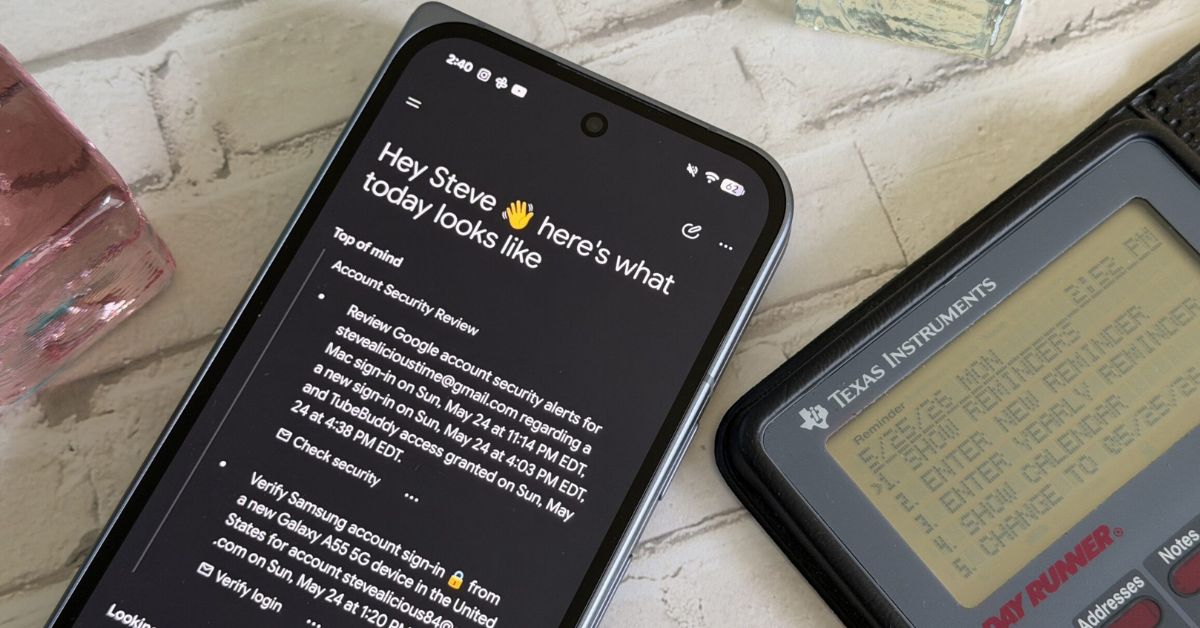
Daily Brief is a feature inside the Gemini app that generates a single, automatic summary of your day, once every morning. Instead of waiting for you to ask a question, it works overnight, pulling information from your Gmail, Google Calendar, and your past Gemini conversations, then organises it with suggested next steps.
Google describes it as an “agent” rather than a static summary. It doesn’t just tell you what’s on your plate, it recommends what to do about it: replying to a specific email, prepping for a meeting, or following up on something you mentioned in an earlier chat with Gemini.
The brief is built around two sections:
- Top of mind — timely, actionable items pulled mostly from Gmail and Calendar, like an email that needs a reply today or a meeting starting in an hour.
- Looking ahead — longer-term goals and deadlines, with suggested next steps so nothing important sneaks up on you later in the week.
Under each item, you can mark it complete, dismiss it, ask Gemini a follow-up question, or rate it “Helpful” or “Not helpful” — feedback Google says is used to sharpen future briefs.
How Daily Brief works
Daily Brief runs on Personal Intelligence, Google’s umbrella system for letting Gemini use your Google account data. For the feature to generate anything useful, two things have to be switched on:
- Connected apps (Google Workspace): Gemini needs permission to read your Gmail, Gemini chats, and Calendar.
- Memory: Gemini needs to be able to draw on your past chat history for extra context.
Once both are active, Gemini works in the background — no prompting required — and the finished brief is waiting the next time you open the app. There’s currently no option to set a custom delivery time; it’s generated automatically each morning.
Who can use Daily Brief right now
- You must be 18 or older.
- You need a personal Google account — it does not work on a work, school (Workspace), or supervised/child account.
- You need a paid Google AI subscription (Plus, Pro, or Ultra). There’s no free-tier version.
- You need to be located in the United States. As of this writing, Daily Brief has not rolled out beyond the US, and Google hasn’t given a firm timeline for expansion.
That last restriction matters a lot for readers across Africa: even a paid Gemini subscriber here currently won’t see Daily Brief show up in their account, regardless of device or app version.
A step-by-step guide to set up Google’s Daily Brief
If you meet the eligibility requirements listed earlier, here’s how to turn it on:
- Confirm your account and plan. Sign in to Gemini on the web or the mobile app using your personal Gmail (not a work or school account) and confirm your paid subscription is active.
- Open Personal Intelligence. On your desktop, go to Settings & help → Personal Intelligence. On mobile, tap your profile icon, then Personal Intelligence.
- Connect Gmail and Calendar. In the Personal Intelligence section, turn on access for your Google Workspace apps and accept the permission prompt. Daily Brief can’t generate anything without this.
- Turn on Memory. Still inside Personal Intelligence, switch on Memory. Google requires both connected apps and Memory before the Daily Brief becomes available.
- Toggle Daily Brief on. Find the Daily Brief switch (also inside Personal Intelligence) and turn it on. This is the same place you’d go to turn it off later.
- Wait for your first brief. It generates the next morning automatically; there’s no way to trigger it manually the first time.
Once it’s live, you can find it from the sidebar on desktop or the menu on mobile, and a small blue dot marks it as unread.
How to get better briefs
Daily Brief’s quality depends heavily on how organised your Gmail and Calendar already are. A few adjustments help:
- Tidy your Promotions tab. Daily Brief mirrors your inbox, so a cluttered Promotions folder can dilute the brief with junk mails.
- Keep your calendar accurate. The “Top of mind” section leans heavily on real calendar events.
- Tell Gemini your preferences directly. Because Daily Brief uses Memory, a simple chat instruction — for example, asking it to prioritise client emails and skip newsletters — can shape future briefs.
- Use the thumbs up/down feedback on individual items consistently; Google says this is one of the main signals used to personalise the next brief.
The limitations to know
- It’s Google-only. If your calendar lives in Outlook or Apple Calendar, or your tasks are in Notion or Todoist, Daily Brief won’t see any of it.
- It’s not real-time. It is generated once in the morning. Anything that happens later in the day won’t appear until the next brief.
- It can misjudge priority. Like any AI summary, it can occasionally surface something unimportant while burying a genuinely urgent email, so it’s worth treating as a helpful first pass rather than a definitive to-do list.
- It’s still an early rollout. Some users have reported the feature silently toggling off; if your brief stops appearing, check the Personal Intelligence settings first.
The bottom line
Daily Brief is part of a bigger shift Google is making with Gemini, from a tool you prompt to one that proactively works on your behalf, alongside other new agents like Gemini Spark. It is a genuinely useful way to start the day without wading through Gmail manually.
For everyone outside the US, it is a feature to watch out for.
True scale demands moving beyond surface-level integrations to robust execution. We’ve filtered the noise out of Moonshot 2026, optimising the conference strictly for high-calibre connections between startup founders, global financial operators, enterprise leaders and individuals rewiring Africa’s technical frameworks.
Get 20% off Early Bird tickets for a limited time.