Table of contents
The Joint Admissions and Matriculation Board (JAMB) started releasing 2026 UTME results on April 17, 2026. Results are coming out in daily batches, and by the evening of April 20, about 1.9 million scores had already been released out of the over two million candidates who sat the exam. That is the largest number of candidates in JAMB’s 48-year history.
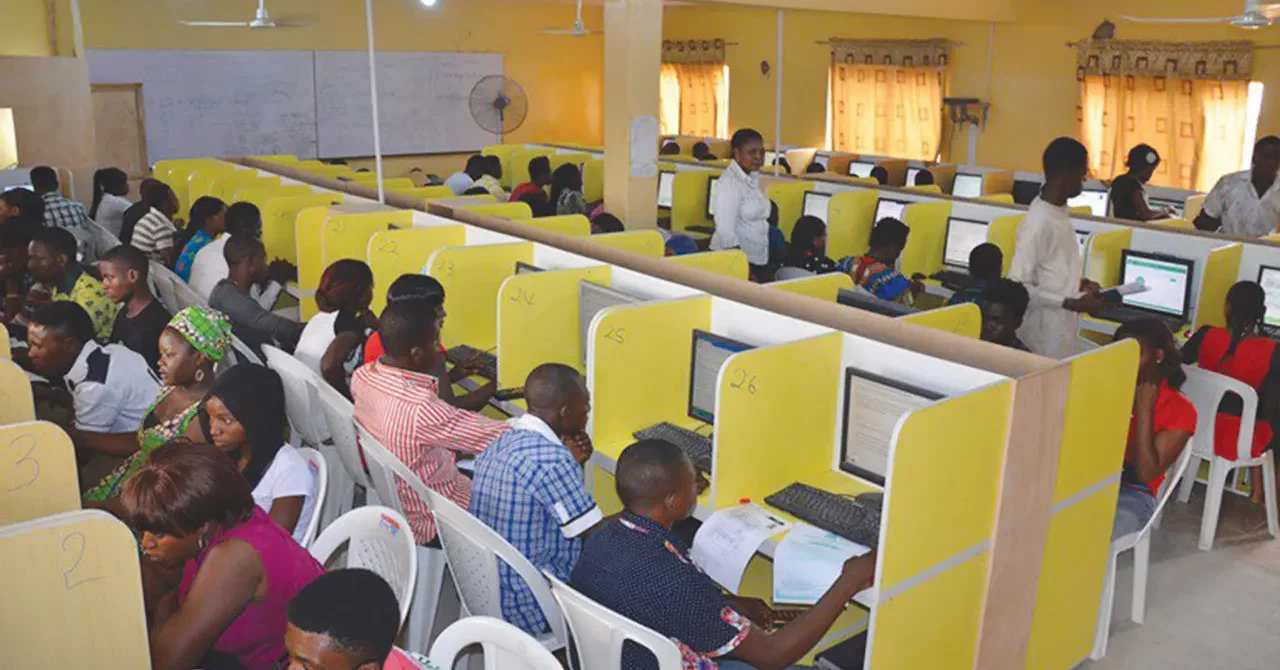
The 2026 UTME is currently running from April 16 to April 25, 2026, across 966 accredited CBT centres nationwide. The exam is being conducted in multiple daily sessions. Before the main exam began, JAMB held a Mock UTME on March 28, 2026, after which it delisted over 20 CBT centres that showed technical problems during the mock exercise.
Your UTME score is important. It is the first major step toward gaining admission to any Nigerian university, polytechnic, or college of education. The score is marked out of 400, covers four subjects (English plus three others based on your course of choice), and is only valid for one academic session. If your result is blocked or you miss the steps to access it properly, it can cost you an entire year. That is why knowing how to check correctly matters.
This article walks you through every method available, what to do if something goes wrong, and what to watch out for this year.
How to check your 2026 JAMB result by SMS
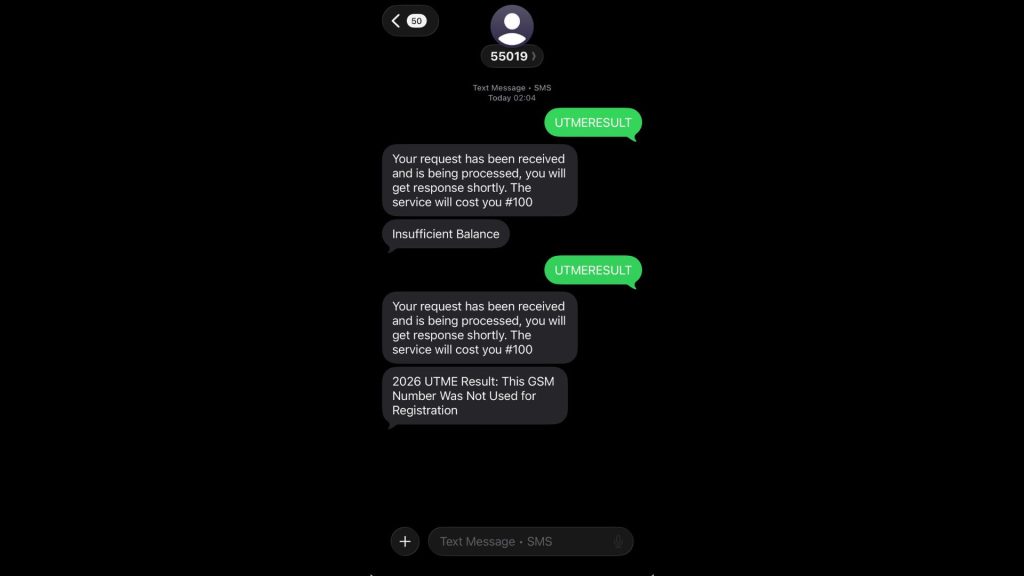
Right now, SMS is the only active method for checking your result. JAMB’s spokesperson, Dr Fabian Benjamin, confirmed on April 17 that the online result slip printing on the e-Facility portal will be switched on later in the release cycle. For now, the SMS route is your main option.
Here is what to do:
- Open your SMS app on your phone
- Type the word UTMERESULT (all capital letters, no spaces)
- Send it to 55019 or 66019
- Wait for a reply. It usually arrives within two to five minutes
A few things to note before you send:
- You must send the SMS from the same phone number you used when registering for JAMB. Any other SIM will return no result.
- Make sure you have at least ₦100 (approx. $0.07) airtime. Reports from candidates and tech publications (April 20) confirmed that the fee quietly doubled from ₦50 (approx. $0.04) to ₦100 (approx. $0.07) this cycle. JAMB has yet to make an official statement about it.
- The shortcodes work on MTN, Glo, Airtel, andT2 (formerly 9mobile).
- If you have forgotten your registration number, send the word RETRIEVE to 55019 from the phone number you used to create your JAMB profile.
The SMS reply will show your name, your four subject scores (each out of 100), and your total aggregate (out of 400).
Important: The SMS is only a notification. Universities will not accept it as proof of your result during Post-UTME screening. You will need to print the official result slip from efacility.jamb.gov.ng for a fee of ₦1,500 (approx. $1.11) — the steps are covered in the next section.
One serious warning from JAMB:
Do not alter or edit the SMS you receive. JAMB has clearly stated that manipulating SMS to change scores is a criminal offence.
As of April 18, two candidates and one parent were already in custody for using AI and electronic means to falsify UTME scores.
A Federal High Court in Katsina also sentenced someone to three years imprisonment for impersonation during the 2025 UTME. JAMB is watching closely this year.
How to check and print your result online
Once JAMB activates the online printing feature, you can access your official result slip via the e-Facility portal. When that happens, here is how to do it:
- Go to efacility.jamb.gov.ng on your browser (phone or computer)
- Log in with the email address and password you used when creating your JAMB profile
- Click on “Print Result Slip” on your dashboard
- Select “Continue with Payment”
- Pay the ₦1,500 (approx. $1.11) processing fee using Remita or your debit card
- Choose 2026 as the exam year
- Enter your JAMB registration number
- Download and print your result slip as PDF
After you make your first payment, JAMB will automatically send a copy of the slip to your registered email address. That means you can reprint it anytime without paying again.
Only use these three official JAMB websites:
- jamb.gov.ng
- portal.jamb.gov.ng
- efacility.jamb.gov.ng
JAMB has warned candidates to use only official websites to avoid fraud
There is also no official JAMB mobile app for result checking in 2026. Any “JAMB Result Checker” app you see on the Play Store or App Store is a third-party tool.
What you need to have ready
Before you check by SMS or online, make sure you have the following:
- Your registered SIM (for SMS checks)
- Your JAMB email address and password (for the portal)
- Your JAMB registration number
Your registration number is usually the two-digit exam year followed by eight digits and two letters. For 2026, it looks something like 26123456HG. You can find it on your original exam slip.
If you have forgotten your portal password, click “Forgot Password” on the login page. If that does not work, visit any JAMB state office with a valid ID, and they will help you reset it.
What your result slip contains
The official printed result slip is what universities, polytechnics, and colleges of education actually accept. It contains:
- Your passport photograph
- Your full name and registration number
- The examination centre where you sat the exam
- Your four subjects and each score out of 100
- Your total aggregate out of 400
- Your admission-processing details for JAMB’s CAPS system
Print at least two or three copies. You will need them for Post-UTME clearance, departmental screening, and your personal records.
Fees at a glance
Here is a summary of what you will pay and when:
| Item | Official 2026 Fee |
| SMS score check (55019 or 66019) | ₦50 to ₦100 (reportedly doubled in April 2026) |
| Free online score view | ₦0 (free) |
| Official result slip printing via e-Facility | ₦1,500 (approx. $1.11) |
| Reprint after first payment | ₦0 (copy sent to your email) |
The most important thing to understand is that the SMS and the free online score view are just notifications. They are not admission documents. Only the ₦1,500 (approximately $1.11) official result slip with your photograph and aggregate score is accepted by schools during Post-UTME. Missing this step is one of the main reasons candidates get turned away at screening.
What to do if JAMB withholds your result
JAMB’s system is fully automated. Once your score is released, there is no process to request a re-mark or appeal the figure itself. What you can do is report errors like a failed biometric capture or a centre-level problem, those are addressed differently, as outlined below.
- “Result Withheld”: This means JAMB has flagged your result for review. It could be due to a biometric mismatch, an issue at your exam centre, or suspicion of malpractice. It does not automatically mean your result has been cancelled. Log in to the e-Facility portal to check if JAMB has requested any documents from you. If that is the case, upload them immediately. If nothing is listed, go to the nearest JAMB state office with your exam slip and a valid ID. Do not pay anyone who claims they can unlock a withheld result. JAMB considers that fraud.
- “Candidate Absent”: This usually happens when the biometric capture at your exam centre failed. Visit the nearest JAMB state office with your exam slip and a valid ID as soon as you can.
- “Result Not Available”: This usually means your session’s batch has not been released yet. JAMB has been releasing results daily since April 17, so if you wrote on a later date, your batch may simply still be processing. Give it 24 to 72 hours and check again using the same SMS method. If your result is still not showing after 72 hours and other candidates from your exam date already have theirs, raise a support ticket at support.jamb.gov.ng or visit the nearest JAMB state office with your exam slip and a valid ID.
- “Invalid Registration Number”: This is almost always a typo. Text RETRIEVE to 55019 from your registered SIM to get your correct registration number.
- No SMS reply at all: This almost always means one of two things: you sent the message from the wrong phone number, or you did not have enough airtime. Make sure you are using the same phone number you registered with during JAMB sign-up, and that you have at least ₦100 airtime on that phone before you try again.
How to contact JAMB if you have a problem
If you have tried the steps above and still have an issue, here is how to reach JAMB directly:
- Online support ticket: Go to support.jamb.gov.ng, click “Create Support Ticket,” fill in your full name, registration number, and a clear description of the problem (include screenshots if you have them), then submit. Note the Ticket ID. Tickets are usually answered within 24 to 48 hours on weekdays.
- Email: info@jamb.gov.ng
- Phone: +234 816 633 5513 or +234 812 365 8955
- X (formerly Twitter): Tag @JAMBHQ. This is JAMB’s only active social media channel.
- In person: Walk into the SERVICOM desk at any JAMB state office near you and state your complaint. You do not need to pay anyone to resolve your issue. Any person at or around the office asking you for money in exchange for help is not authorised to do so — report them to the SERVICOM desk immediately.
What score do you need?
JAMB has yet to set the official cut-off marks for 2026/2027 admissions. That happens at the annual Policy Meeting, usually held between June and August after full results are out. Until then, the benchmarks from the 2025 meeting are still being used as a guide:
- Universities (federal, state, and private): 150
- Colleges of nursing: 140
- Polytechnics, colleges of education, and innovative institutions: 100
For competitive courses like Medicine, Law, Pharmacy, and Engineering, individual universities often set their own higher cut-offs, sometimes between 200 and 290 or above. Always check the specific requirements of the school and course you applied to.
Quick summary: What you should do
- Check your result by sending UTMERESULT to 55019 or 66019 from your registered SIM as soon as your session’s batch is released.
- Budget ₦1,500 to print your official result slip from efacility.jamb.gov.ng once that feature goes live. This is the document that actually matters for Post-UTME.
- If your result looks wrong or you get an error message, go straight to JAMB’s official channels. Submit a support ticket at support.jamb.gov.ng or visit a JAMB state office with your exam slip and a valid ID.
- Do not pay agents, do not use unofficial apps, and do not tamper with any result document. With arrests already made this cycle, the risks are not worth it.
Your JAMB result is your entry point into the Nigerian university system. Handle the process carefully, use only the official channels, and you will be on your way.