The Joint Admissions and Matriculation Board (JAMB) has introduced several updates for the 2025 Unified Tertiary Matriculation Examination (UTME). One of the most critical steps for candidates is to create JAMB profile. Without a JAMB profile, you cannot register for the UTME, check your results, or access other essential JAMB services.
In this guide, we’ll walk you through the different ways to create a JAMB profile, whether via SMS or online registration and provide valuable tips to ensure a smooth registration process.
Why you need a JAMB profile
Creating a JAMB profile is mandatory for all candidates who wish to:
- Register for the UTME
- Check their admission status on the JAMB CAPS portal
- Print their JAMB examination slip
- Correct personal details or make changes after registration
- Access other JAMB services
Now, let’s go through the step-by-step process of creating a JAMB profile for 2025.
How to create a JAMB profile 2025 via SMS
If you prefer the convenience of SMS, you can create your JAMB profile using a simple text message. Here’s how:
- Step 1: Open your phone’s messaging app.
- Step 2: Type a message in this format: NIN (space) Your NIN Number
For example, if your National Identification Number (NIN) is 10040400700, send:
NIN 10040400700 - Step 3: Send the message to 55019 or 66019.
- Step 4: You will receive an SMS with your JAMB Profile Code, which is required for UTME registration.
Note: A one-time SMS charge of N50 applies, so ensure you have enough airtime before sending the message.
How to create a JAMB profile 2025 via online registration
For those who prefer using the Internet, the online registration process is just as easy:
- Step 1: Visit the official JAMB e-Facility website
- Step 2: Click on “Create e-Facility Account/Login”
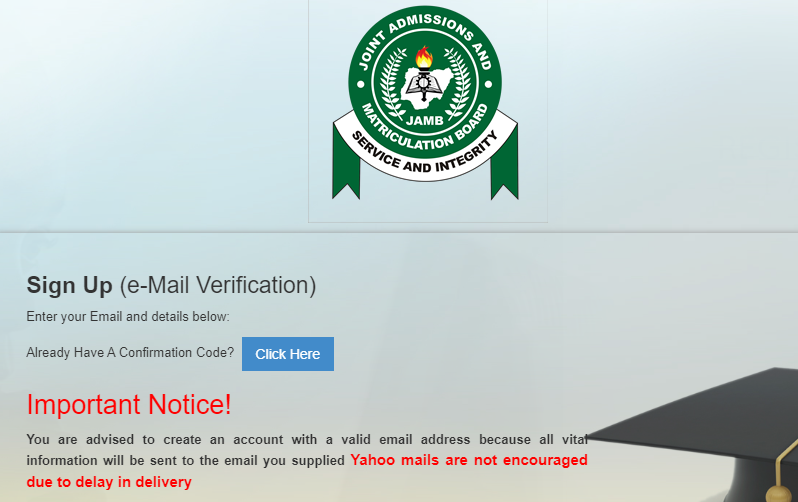
- Step 3: Fill out the registration form with the required details, including your email address and phone number.
- Step 4: Click on the ‘Verify Email’ button. JAMB will send a verification email to the provided address.
- Step 5: Open your email inbox, find the email from JAMB, and follow the verification instructions.
- Step 6: After verifying your email, log in to your JAMB profile portal and complete your registration.
Ensure you use an active email address, as JAMB will send crucial updates to this email.
Common issues when creating a JAMB profile & how to fix them
- Problem 1: Not Receiving SMS Response from 55019/66019
- Solution: Ensure you have sufficient airtime and use the same phone number linked to your NIN. Try resending after a few hours if the network is slow.
- Problem 2: Email Verification Link Not Received
- Solution: Check your spam folder. If you still don’t find the email, wait for some time or try registering with another email address.
- Problem 3: Invalid NIN Error
- Solution: Ensure your NIN is correctly typed and registered with the National Identity Management Commission (NIMC).
4. Important Notes on Creating Your JAMB Profile
- Ensure Accuracy: Double-check your details (NIN, phone number, email) before submitting.
- Keep Your Profile Code Safe: Your JAMB Profile Code is required for registration and other services.
- Verify Your Email Regularly: JAMB will send updates and verification links to your email.
- Secure Your Login Credentials: Do not share your JAMB profile details with anyone.
What’s next after creating your JAMB profile?
Once your JAMB profile has been created successfully, here’s what you need to do next:
- Purchase your JAMB e-PIN from an accredited bank or online vendor.
- Proceed to any JAMB CBT centre for UTME registration.
- Print your JAMB slip containing your exam details.
By following these simple steps and best practices, you’ll successfully create your JAMB profile and be on your way to registering for the 2025 UTME.
Need more JAMB updates?
- How to check your JAMB result in 2025: A complete guide
- How to retrieve your JAMB profile code on the phone (2025)
- JAMB 2025/26 recommended texts for Literature in English
- JAMB 2025 novel and where to download it